India Post GDS photo & signature size at a glance
| Document | Size | File size | Also |
|---|---|---|---|
| Photo | 320 × 400 px | 30–100 KB · JPG | white background |
| Signature | 300 × 120 px | 20–100 KB · JPG | – |
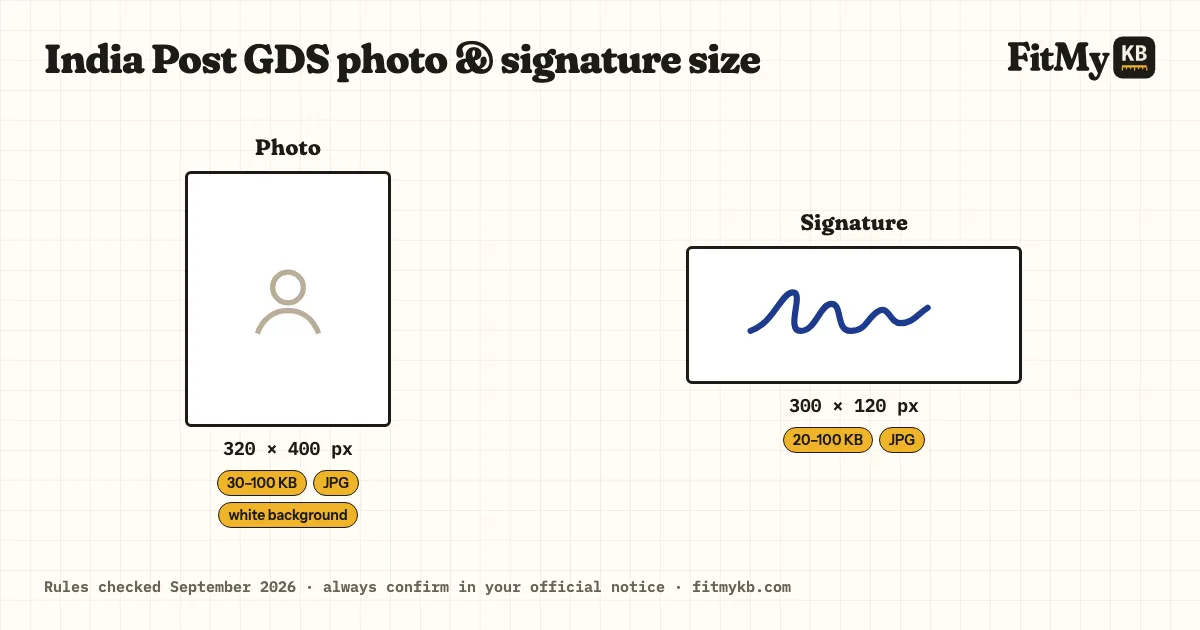
The India Post Gramin Dak Sevak (GDS: BPM, ABPM, Dak Sevak) upload rules, and a tool set to them: exact size, KB range, DPI.
Rules checked · always confirm in your official notice
| Document | Size | File size | Also |
|---|---|---|---|
| Photo | 320 × 400 px | 30–100 KB · JPG | white background |
| Signature | 300 × 120 px | 20–100 KB · JPG | – |
India Post GDS accepts 30–100 KB; aim for about 65 KB rather than the limit.
It must be 320 × 400 px; crop to that shape first, or the portal squashes or refuses it.
India Post GDS accepts 20–100 KB; aim for about 60 KB rather than the limit. A small, clean file is raised into the range without changing how it looks.
It must be 300 × 120 px; crop to that shape first, or the portal squashes or refuses it.
Other reasons portals refuse a file, the same for every exam (a HEIC or PNG renamed to .jpg, a coloured background, a face too small in the frame), are explained in Exam photo rejected? Every reason and the fix.
Recent colour photo, face filling most of the frame, no selfies or scanned old photos.
Sign on plain white paper in black or blue ink; typed or drawn-on-screen signatures are refused.
Older GDS rounds used 200 × 230 px photos up to 50 KB; the 2026 Annexure-II gives 320 × 400 px (30–100 KB) and a 300 × 120 px signature (20–100 KB).
Prepare 2 files: photo and signature, each within the limits in the table above. Apply only on the official website, indiapostgdsonline.gov.in.
India Post GDS selection is by merit list, with no exam, so the application is the whole process: one wrong upload can't be corrected after final submission. Check the photo and signature on the preview page before you pay, and keep the registration number safe.
Drop your files in the box, or paste an image.
India Post GDS is already selected; pick the document.
Press Prepare and download the result. Your files are deleted from the server straight away.
320 × 400 px · 30–100 KB · white background. Check the latest India Post GDS notice before uploading.
300 × 120 px · 20–100 KB. Sign in running hand on white paper.
Photo: 320 × 400 px · 30–100 KB · white background; Signature: 300 × 120 px · 20–100 KB. The same rules apply to every India Post GDS recruitment unless the notice says otherwise.